Game Builder To Create Games Faster
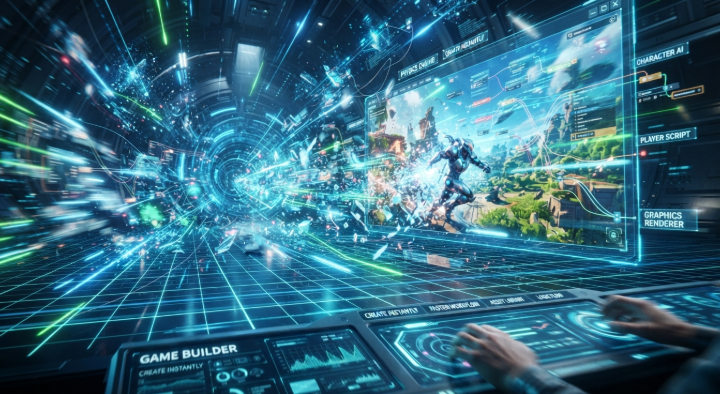
A game builder is a software that lets you create games without going through the complex process of development. It may have basic visual tools, some assets, some templates or any other functionality that makes the process of making a game easier. This makes it a good choice for novices who want to convert their concepts into playable games.
Have you ever had a great game concept but didn’t know where to begin? You might be under the impression that you need to learn to code or buy costly software to make a game. Platforms such as Astrocade also provide novices with an easy entry into game creation and the ability to transform their ideas into reality.
Game design can be fun to learn if the process is straightforward. You can play with characters, levels, backgrounds, and very simple game logic. Build-test ideas as you made them and modify as needed. A simple project like this can help you learn the ropes of game development and get you moving.
Build Games Quickly
Building a game from scratch takes time and effort. You’ll need to come up with characters and places, create stages, add audio, and decide how everything fits together. Tools made for beginners can simplify the process by keeping many of these tasks in one place.
Ready-made templates and artwork can help you get started faster. A visual editor lets you arrange the pieces without learning complicated software, so you can spend more time making the game enjoyable to play.
Easy Game Creation
Tools with simple interfaces make game development much easier. Most platforms provide visual tools for you to simply drag and drop objects, characters, backgrounds and other components into your project. You can watch your project evolve as you make it and edit at any time.
You don’t need to start with a huge project. Start small with a simple idea and expand it. A small platform game, for example, with single character, a few hazards and one simple goal. When it functions, you can begin to add more features.
Simple Design Tools
Good game design doesn’t always require complex software. Simple design tools can help you to create scenes, place objects, adjust backgrounds and features. This is useful when you are more interested in the appearance and sensations of your game.
You can also test different designs while you are working on your project. A little change in colors, characters, backgrounds or layouts can make your game more interesting and enjoyable for players.
Save Building Time
Time is one of the biggest advantages of using a game builder. You don’t always have to create every character, background, sound, and object yourself. Pre-built assets can give you a great starting point for your project.
Freeing up time from the more mundane tasks allows you to devote more attention to the actual gameplay. Levels, challenges, rewards, and player interactions, rather than the characteristics of each monster. It can even streamline the development process and allow you to go from concept to playable game faster.
Launch Games Faster
Finishing your game is just the start. You have to run it through its paces, too, before you unleash it on the world. Try the controls, the levels, the characters, the sounds everything, in other words, and do make sure it all works.
It never hurts to let someone else try out your game. Maybe they find things you didn’t when you were coding it. Use their feedback to polish and tweak your product before you release it. Testing some of it can do a world of good for the final experience.
Conclusion
Game development does not have to be intimidating when you compartmentalize it. A game creator can assist you bring your ideas to life, and some simple visual elements can make the process of creating much easier. Have a small concept, develop the core gameplay, and iterate as you learn.
Once you get to more advanced levels, you can experiment with new characters, levels, mechanics, and design ideas. You can even try out ideas influenced by a game like Snake Rush 3d. Constantly test your project and learn from every failure. With enough practice and imagination, you’ll be able to turn rudimentary ideas into playable games, and keep advancing your game development skills.
See also: The Best Flooring Options for Busy Families
FAQs
What is a game builder?
A game development platform enables users to create their own games, typically by utilizing drag-and-drop interfaces, pre-existing templates, and reusable assets such as artwork or sound.
Can beginners use a game builder?
Yes. A lot of game development tools are made for novices. They have plain user interfaces that make it easier for beginners to grasp the fundamental components of game development.
Do I need coding skills to build a game?
Not necessarily. Certain platforms do provide visual tools to minimize the amount of traditional coding. You can begin with basic features, then pick up programming later if you want to delve into advanced development.
What type of games can I build?
It really depends on the platform you go with. You can create puzzle games, platformers, arcade games, adventure games, interactive stories and more, for really makes any type of simple game.
How can I make my game better?
Playtest your game frequently, and have others play as well. Take their feedback into consideration, and fix any confusing controls, bugs, or hard areas. Continue to improve your game as you learn more about game design and development.